Grades

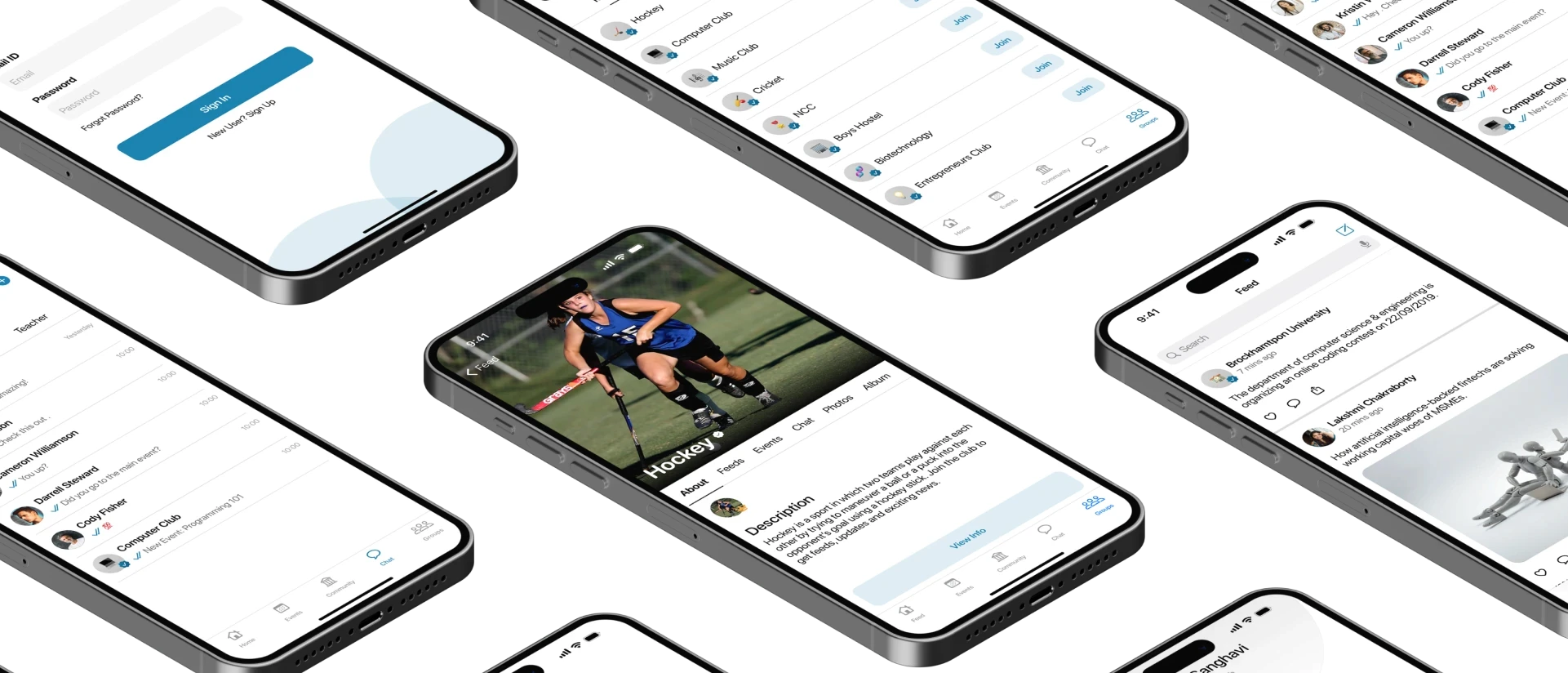
As the founding designer during my internship at Eternosoft , I designed a platform to streamline communication between universities and students. I conducted research, wireframed, prototyped, and validated the idea with real users and stakeholders. The final design presentation led to a 60% increase in client acquisition and is currently under development.
Figma
Photoshop
After Effects
Illustrator
Adobe XD
Problem
Despite the availability of various educational tools, there remains a disconnect in offering a unified digital environment where students and faculties can interact, access personalized educational content, and engage in collaborative activities and events
As a fast-growing startup, Eternosoft aimed to streamline communication between universities and students. The product was envisioned to address three core problems:
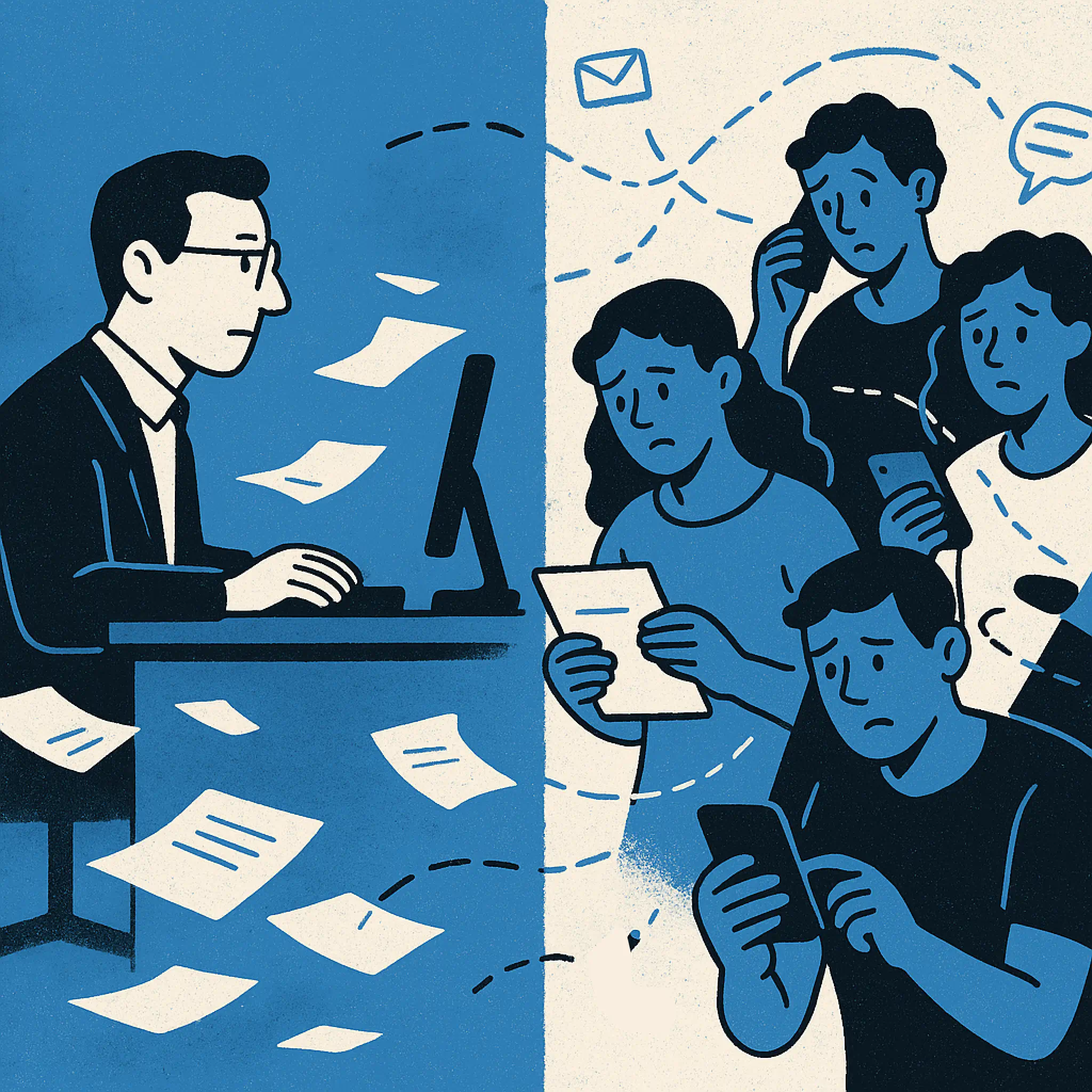
Limited communication between professors and students
Learning materials were shared inconsistently, often through informal channels.

Event disorganization
University and student-led events faced conflicts and poor attendance due to lack of centralized scheduling.

Fragmented announcements
Critical updates were shared via phone, email, or in-person, leading to missed or lost information.
Design Process
Gathering Requirements
To kick off the design process for Grades, I began by gathering detailed requirements from both the Product Manager and the CEO.
These conversations helped uncover the core goals of the platform to streamline communication between students and faculty, and minimize information loss across channels.
By aligning with their vision early on, I was able to identify key user needs, technical constraints, and business priorities. This collaborative discovery phase laid a strong foundation for user journey mapping, feature prioritization, and design direction moving forward.
Research & Discovery
These early observations gave me a high-level understanding of the challenges, but I needed more profound insight into how students and faculty actually experienced these issues. These insights shaped my initial design direction and helped me prioritize features.
Announcements were missed due to scattered channels.
Events often had scheduling conflicts and no centralized platform.
Student-led events used informal methods (phone, email, in-person), leading to lost details.
User Journey Mapping
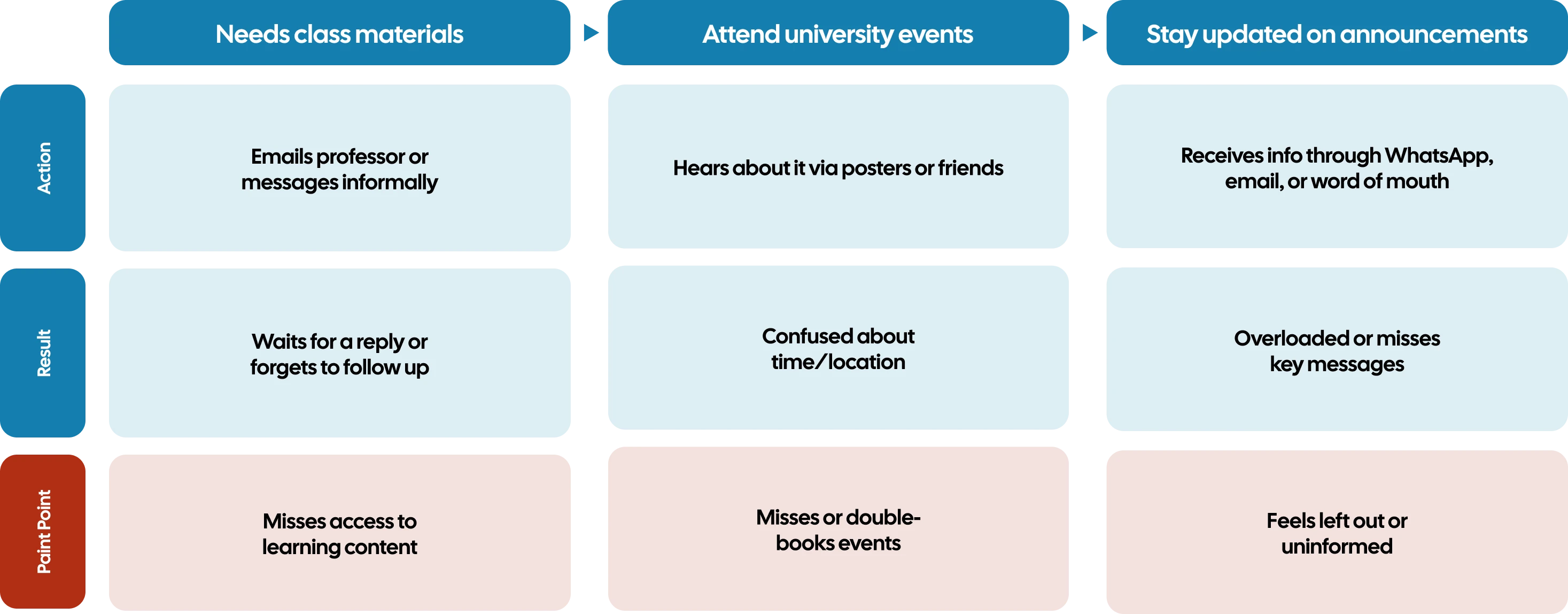
To dig deeper, I mapped out the existing workflows for students and faculty. This helped highlight breakdowns in communication, especially in:
Reaching out to professors for materials.
Knowing which events to attend and when.
Receiving timely and reliable announcements.
User Flow
To ensure clarity, consistency, and purpose-driven interactions, I mapped out three core user flows based on the app’s primary communication and collaboration goals.
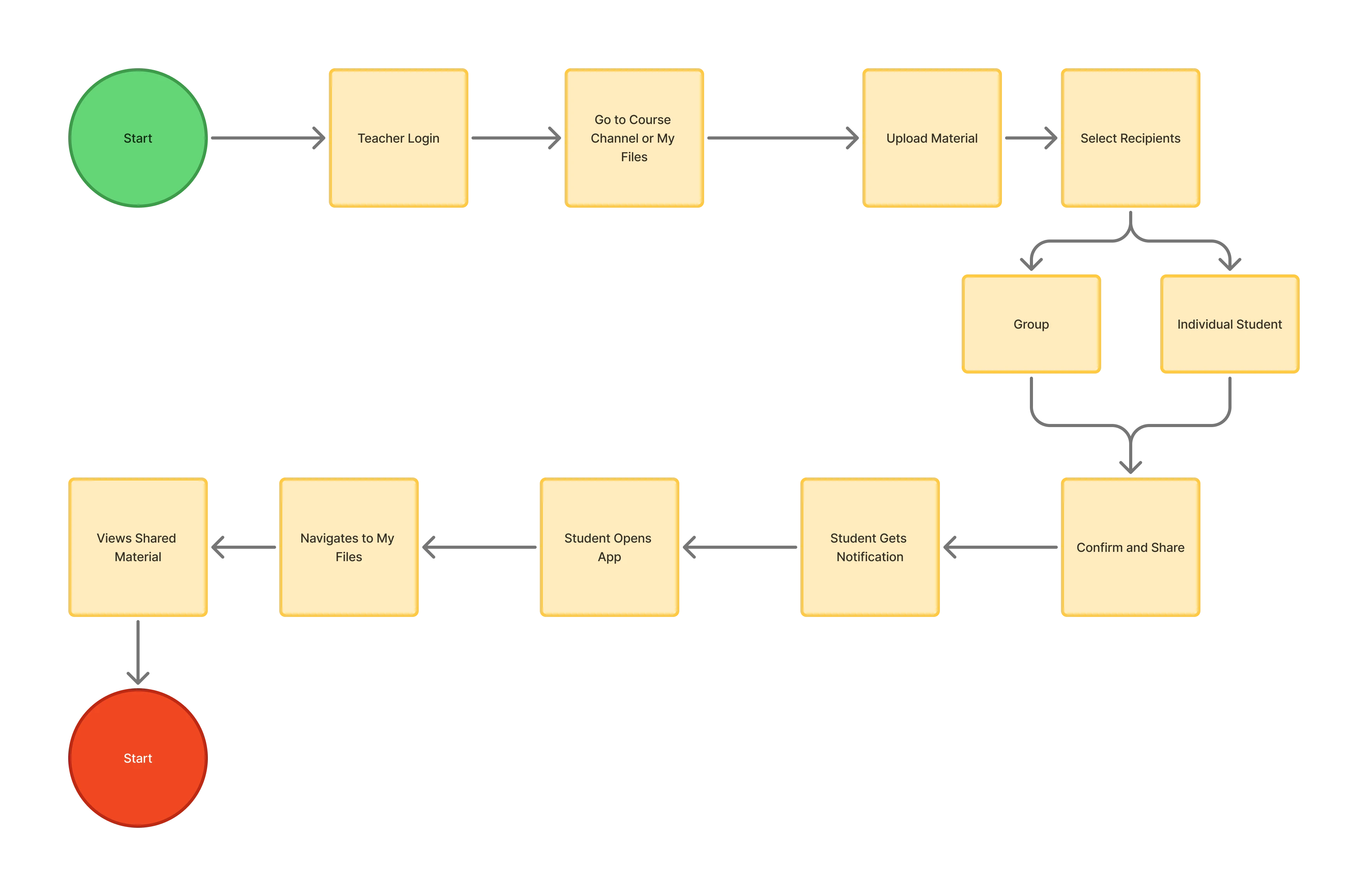
This flow visualizes how teachers seamlessly upload and distribute course content to students, addressing the need for centralized access to resources and reducing reliance on third-party platforms or informal channels.
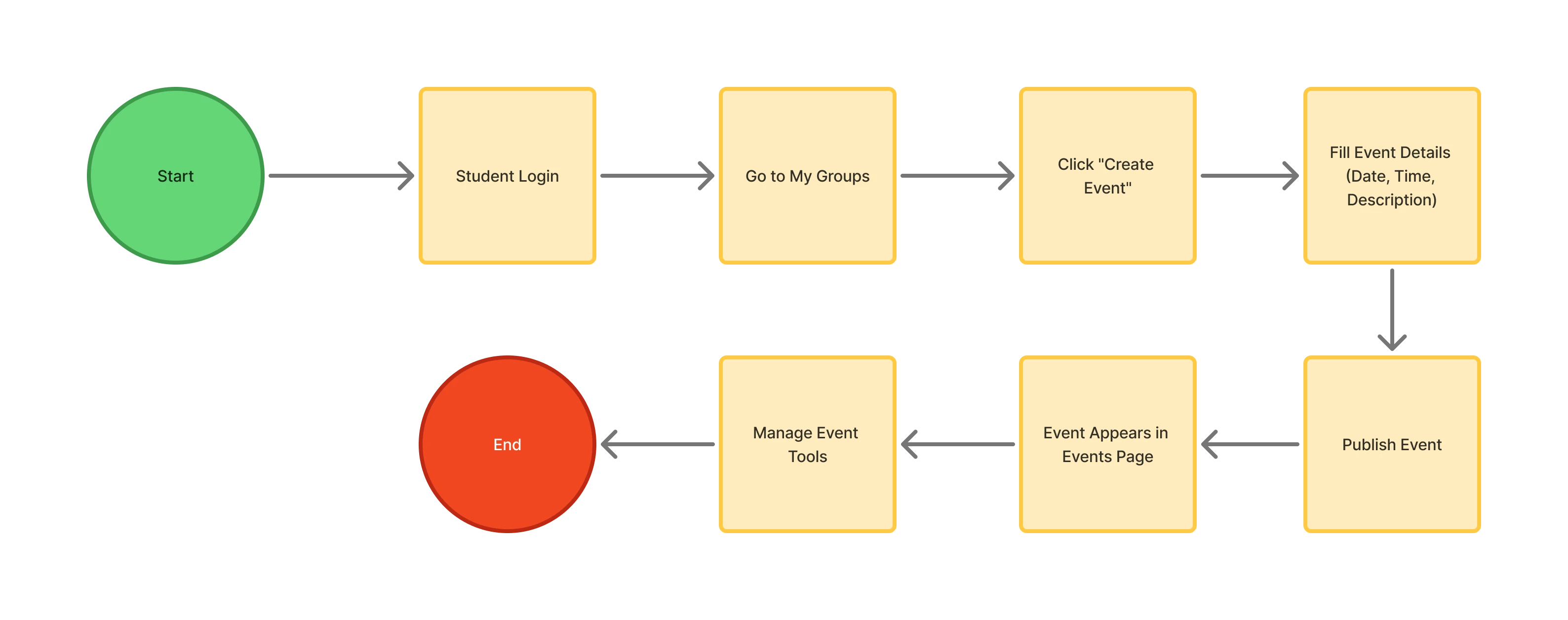
Designed to solve the issue of disorganized scheduling, this flow highlights the journey from event creation to real-time management tools (like request handling and membership control), particularly for student leaders or group admins.
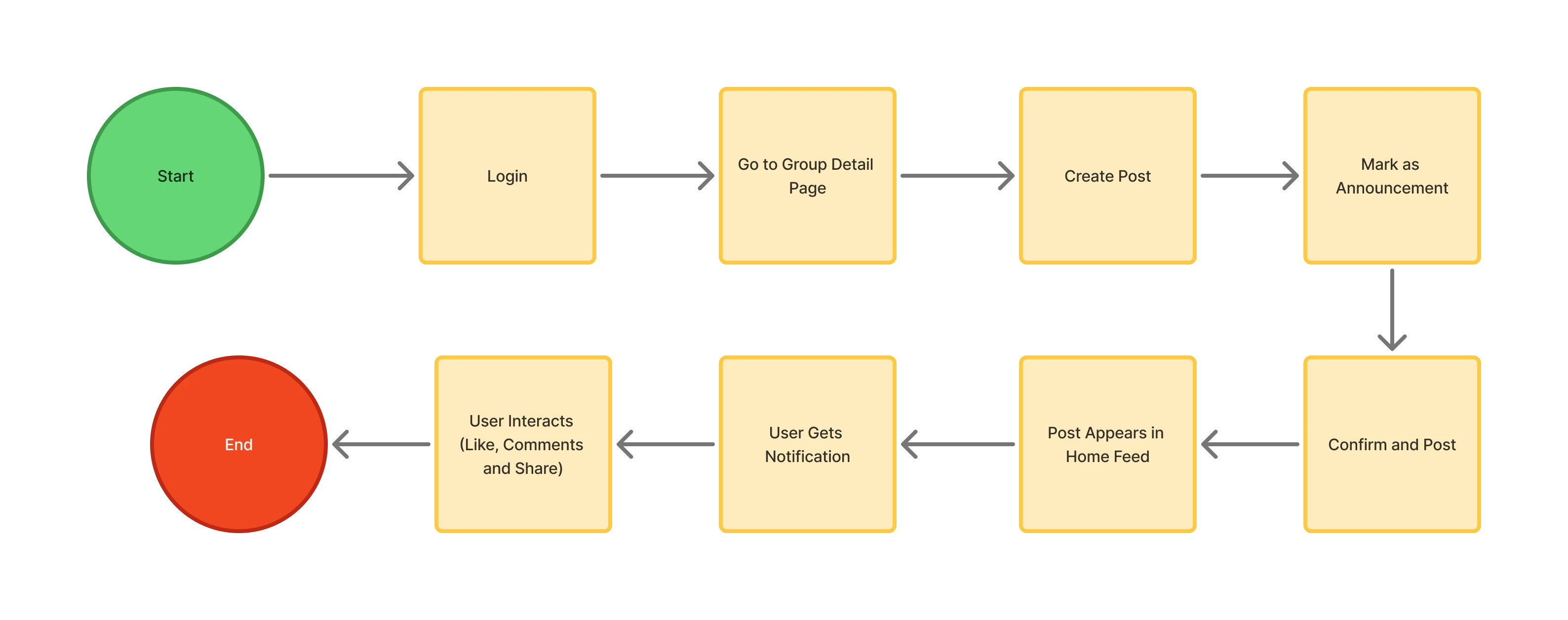
To unify how information is shared within communities and groups, this flow outlines the streamlined path for group admins to create announcements that automatically notify and reach all members, improving visibility and engagement.
Information Architecture
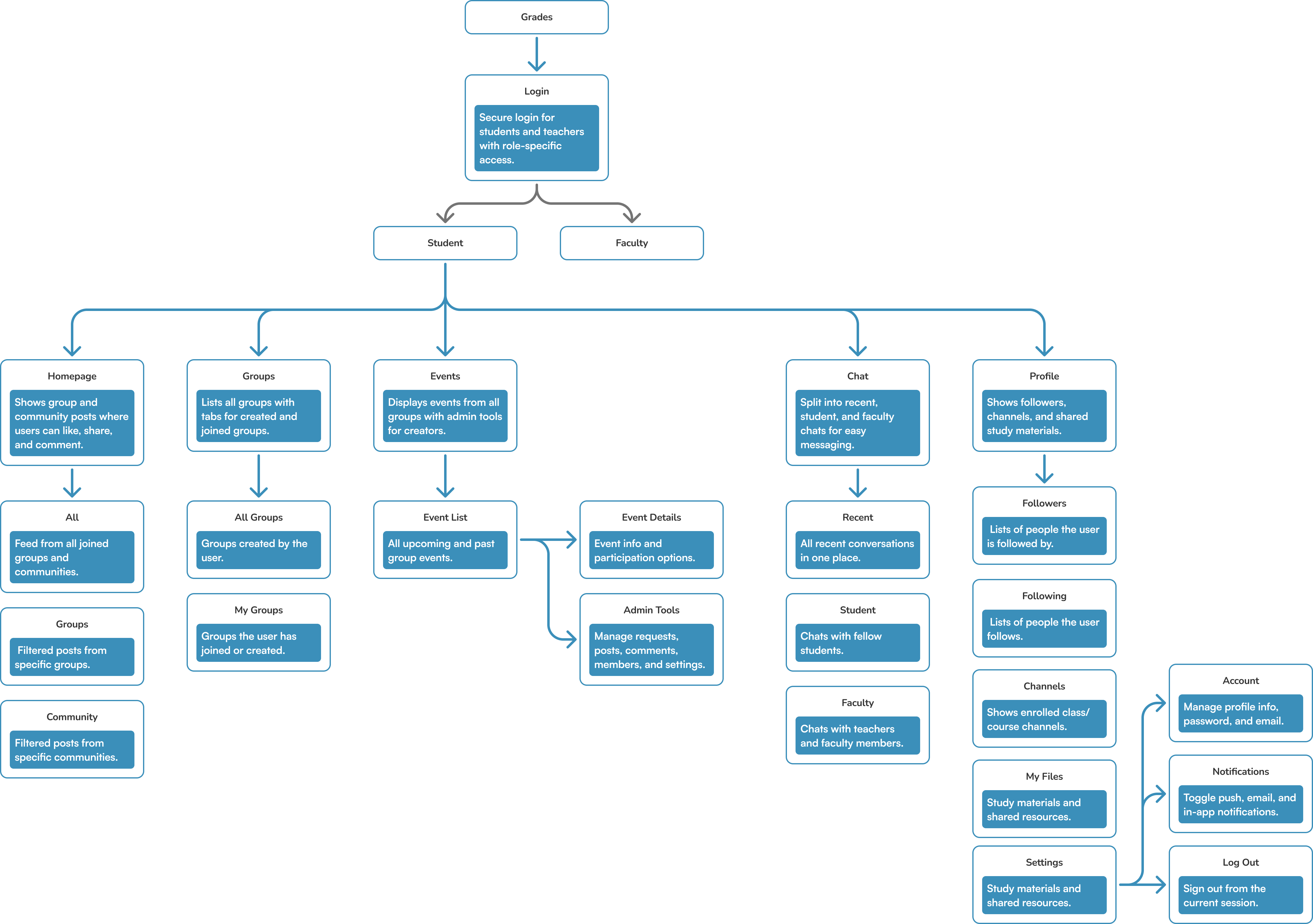
To lay the foundation for a clear and intuitive user experience, I created a detailed information architecture that maps out all core screens, features, and navigation paths. This structure helped define how users move through the app from login to group interactions, events, profile, and chat to ensure that every feature is logically placed and accessible. It served as a blueprint for designing interfaces across both student and teacher roles.
Wireframing
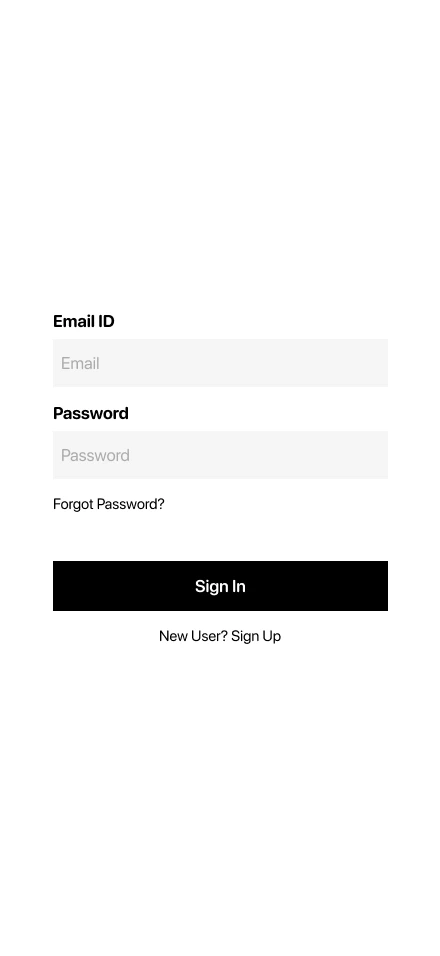
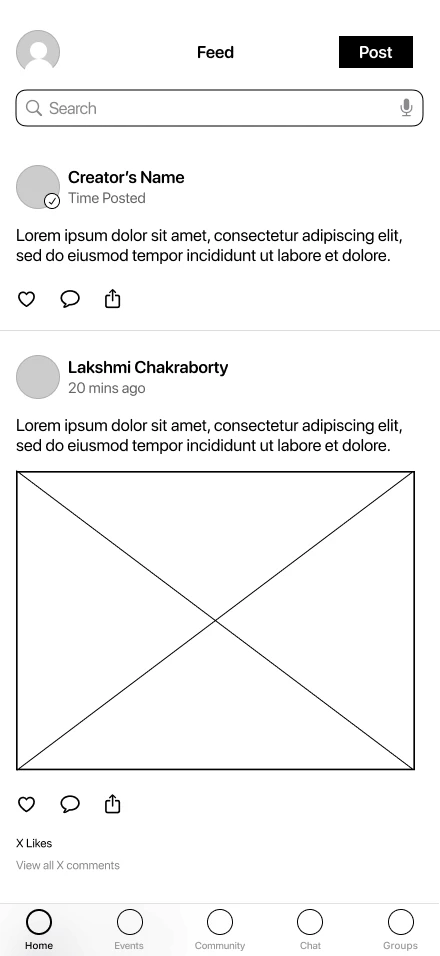
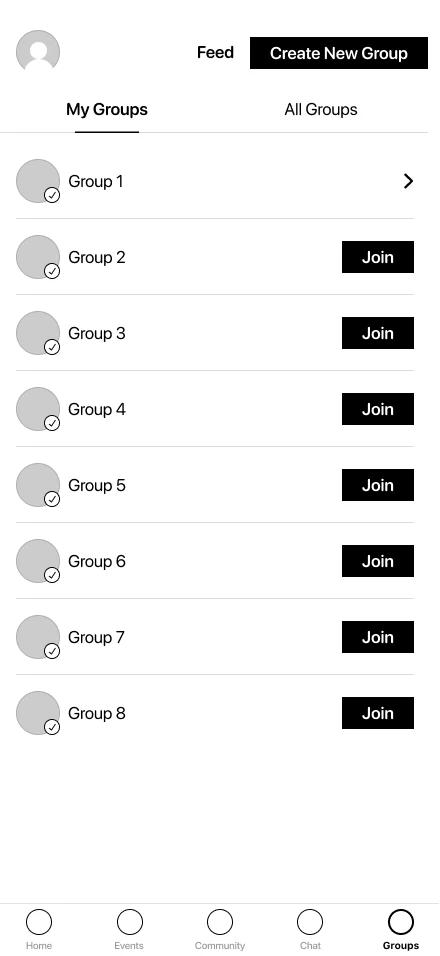
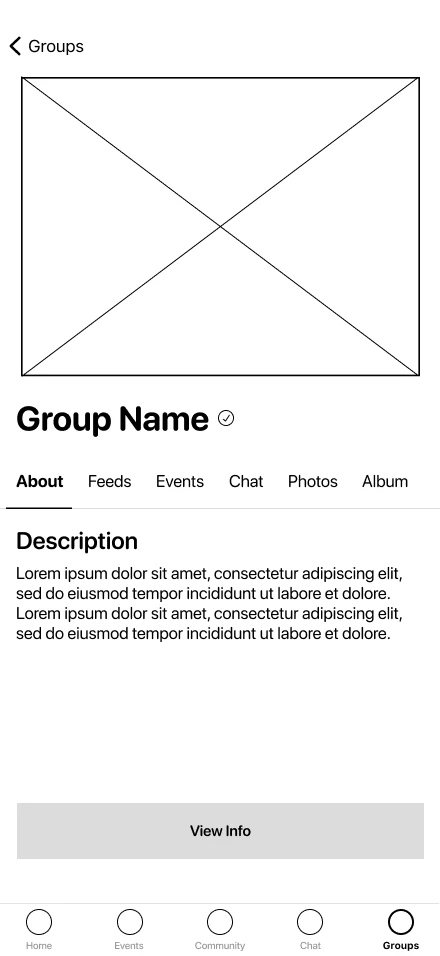
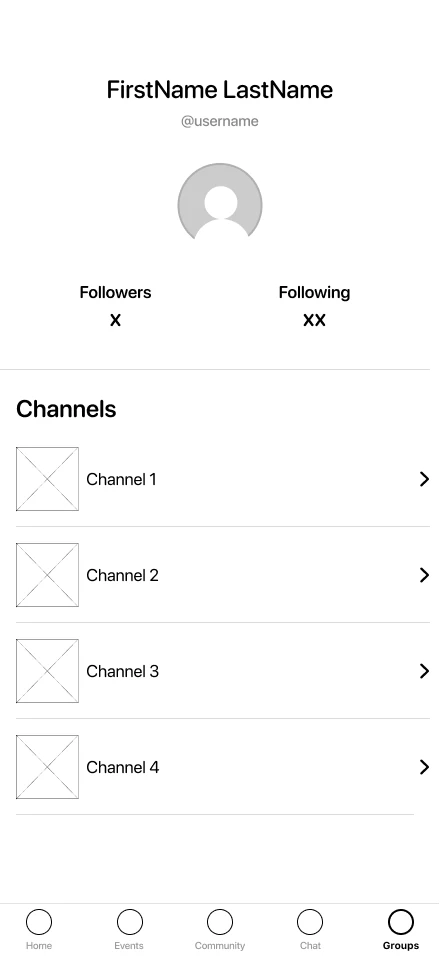
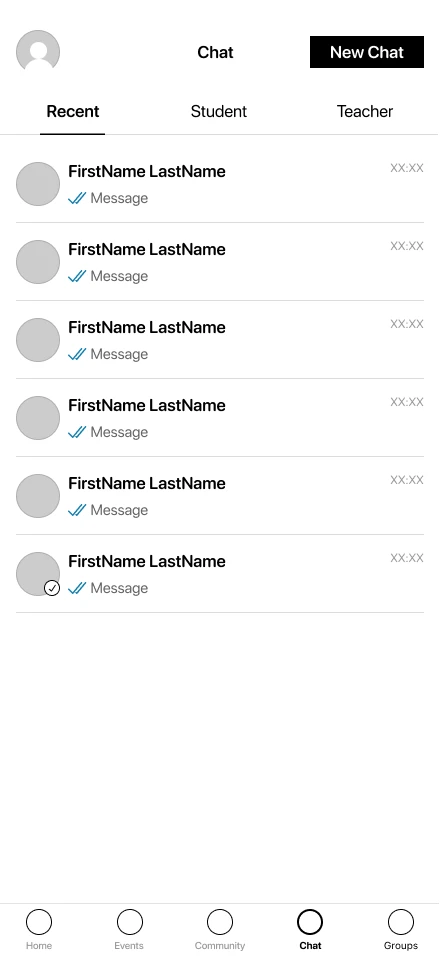
I began sketching initial wireframes to visualize solutions for each pain point, which were then used to quickly confirm the structure with stakeholders and gather feedback.
Prototyping
Once the structure was validated, I created low-fidelity interactive prototypes to simulate the flow and shared them with the product manager. Based on the feedback, I made the necessary improvements before moving on to the hi-fi prototypes.
High Fidelity Mockups
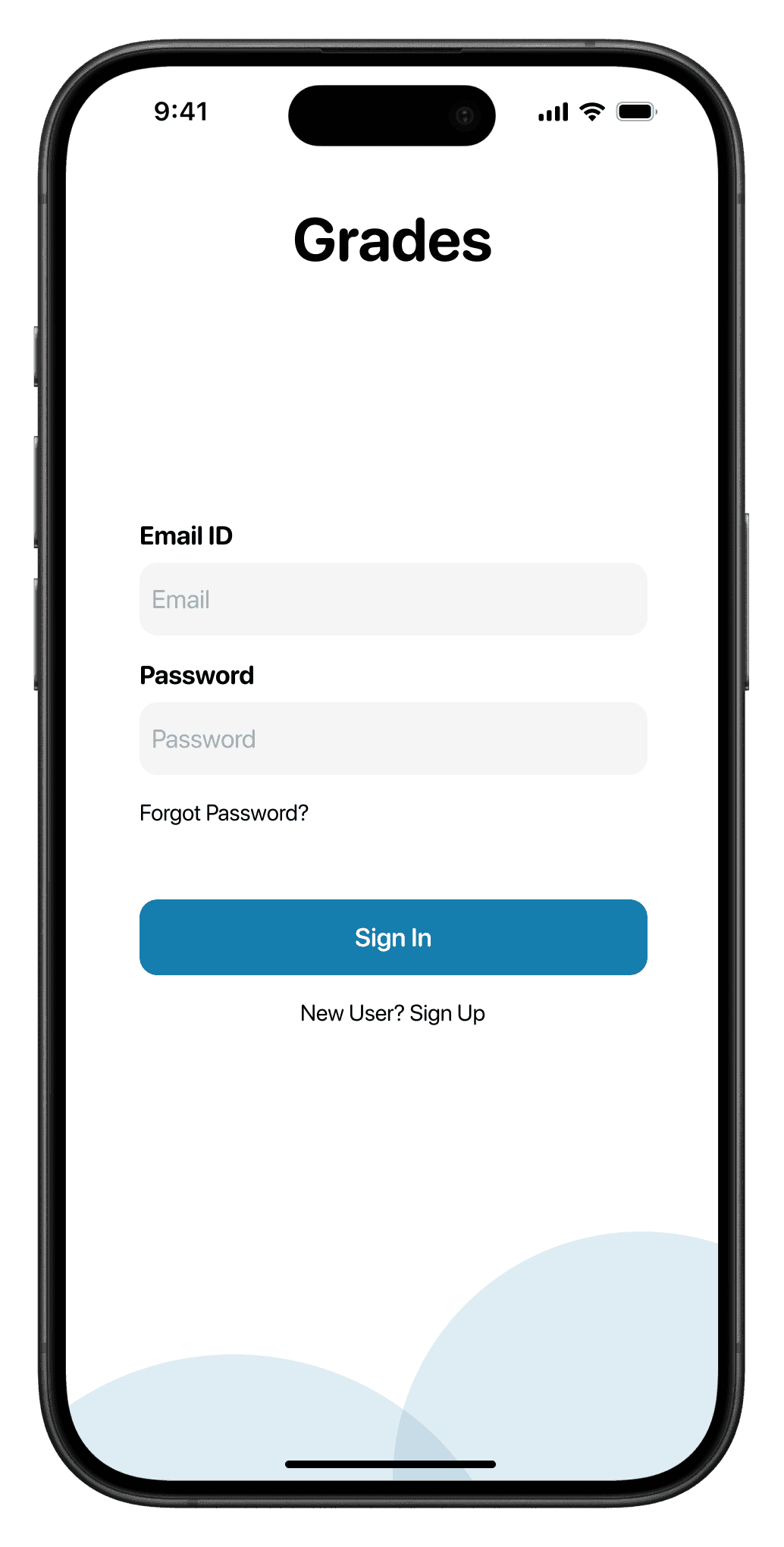
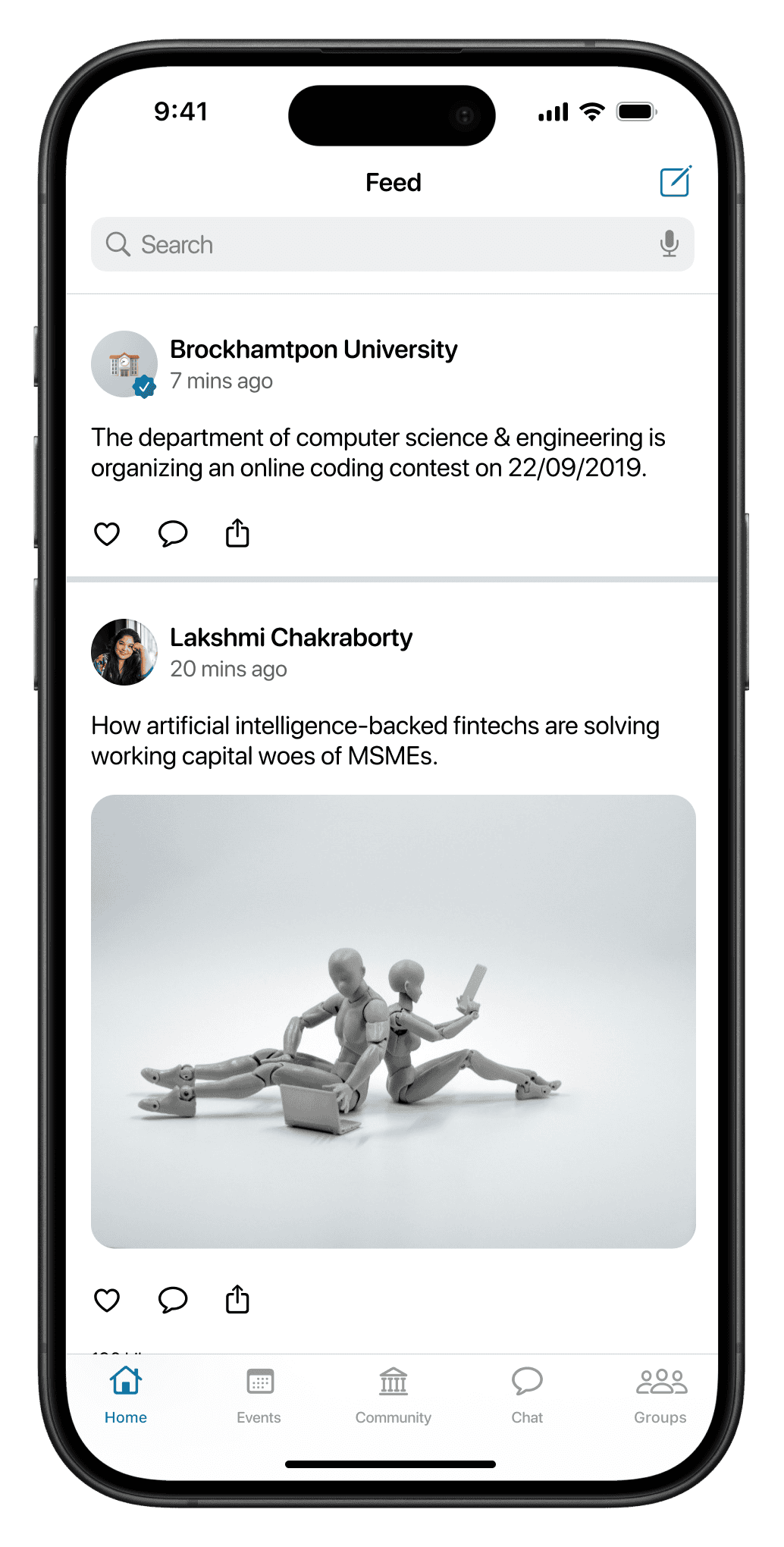
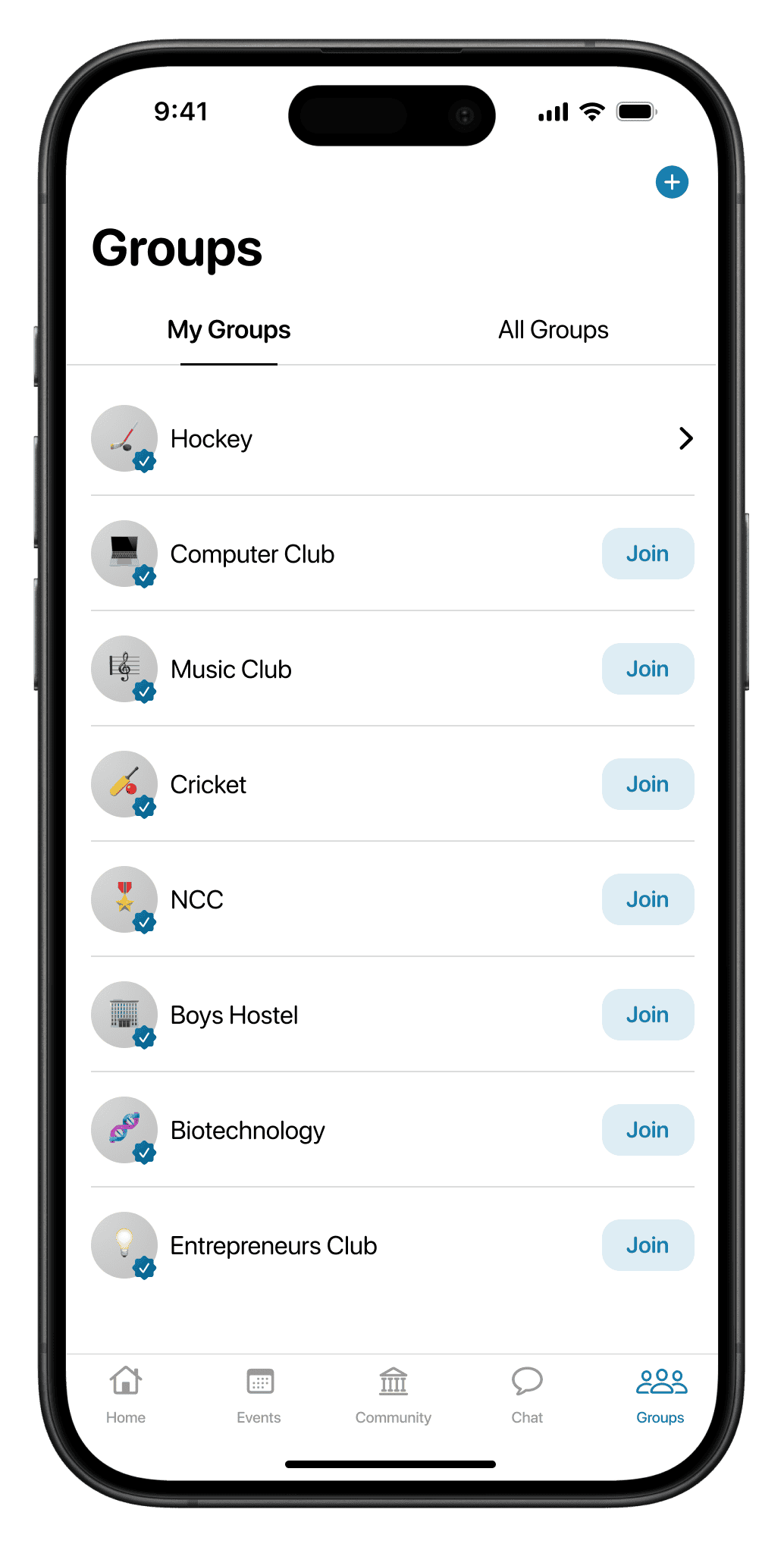
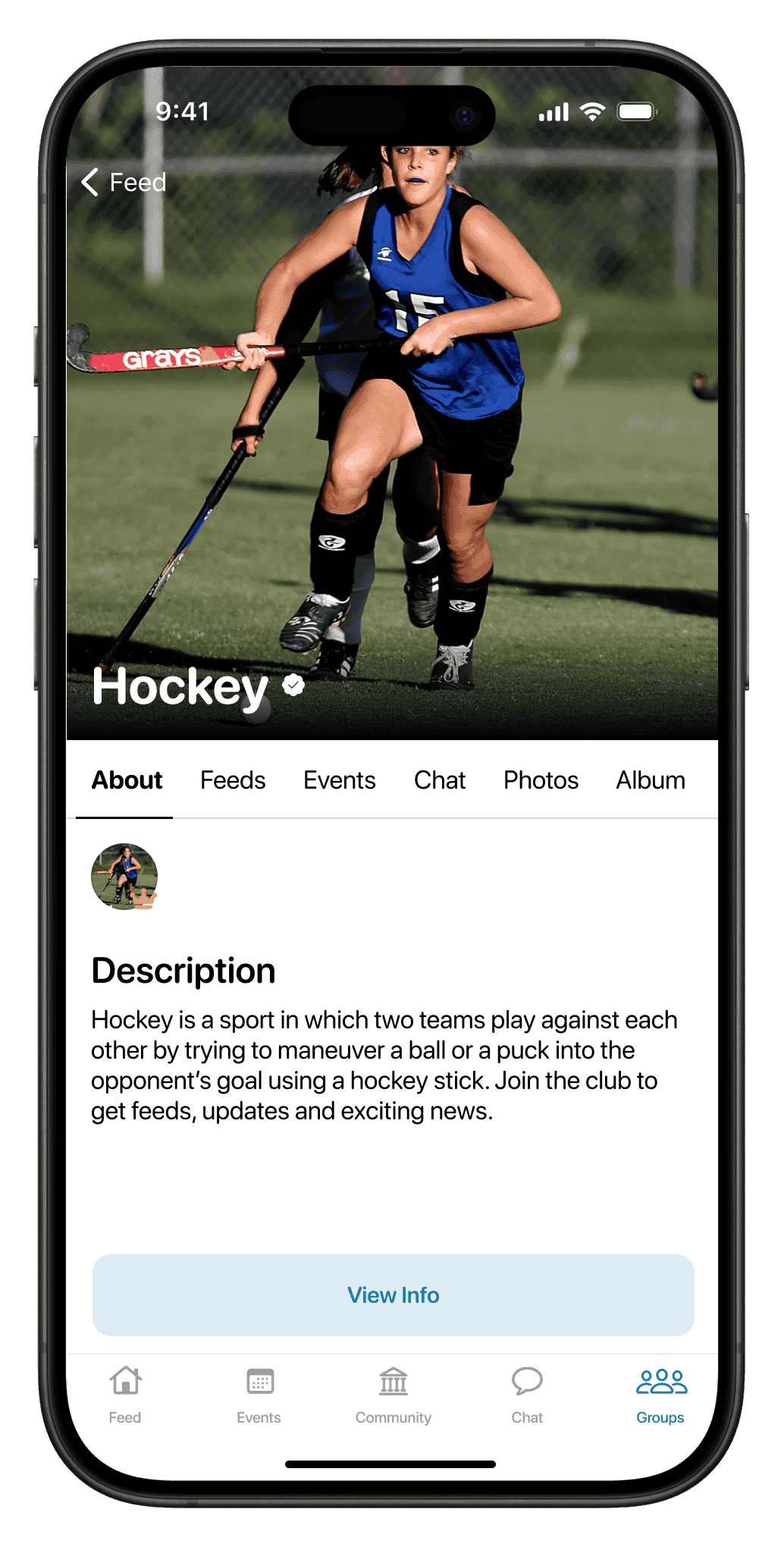
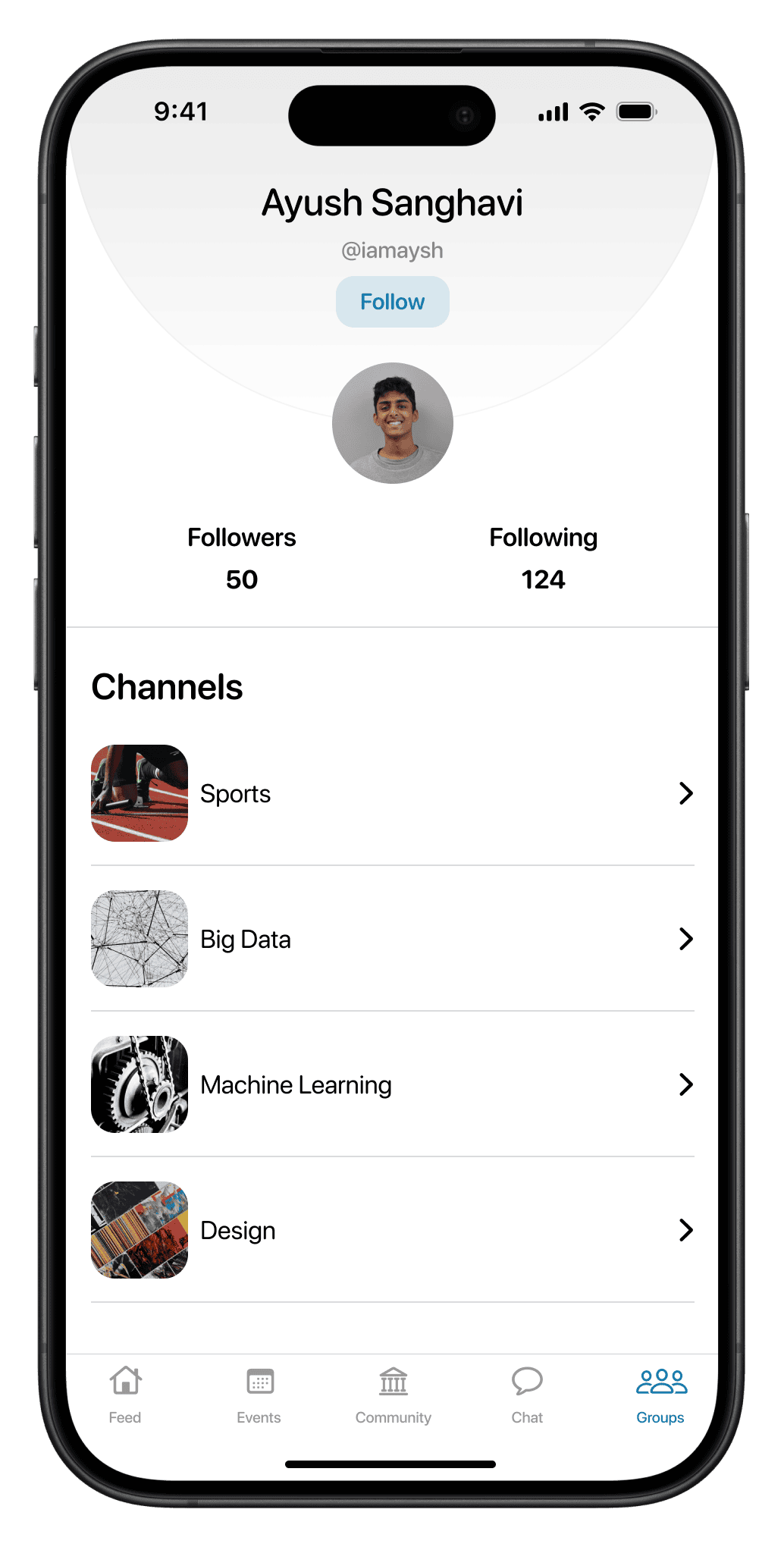
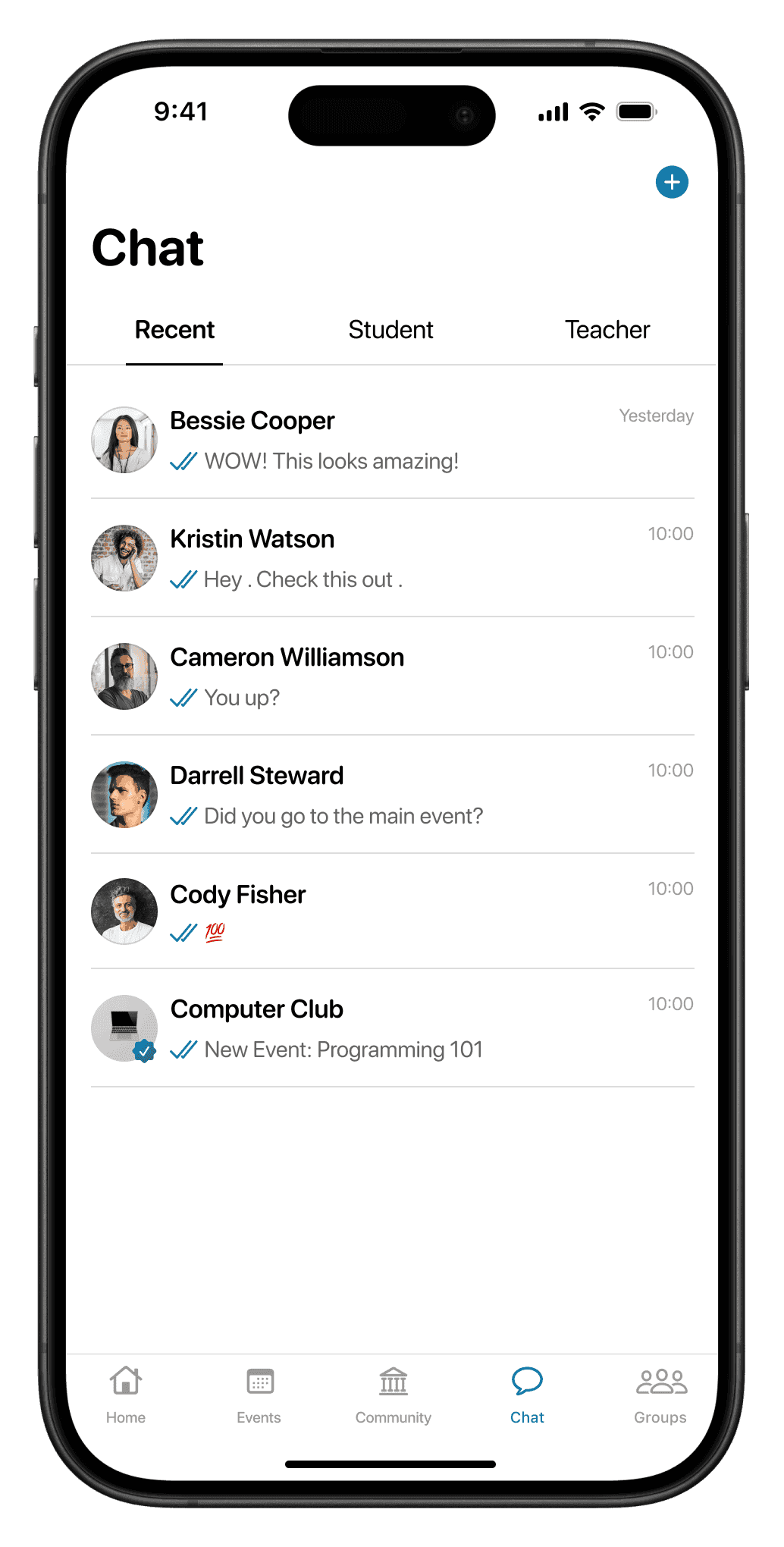
Incorporating feedback from both the usability tests and the product manager, I created the final high-fidelity designs. After approval, the product idea was pitched to universities and successfully led to a 60% increase in client acquisition.
The application is currently under development.
User Testing
To ensure the design worked well for both professors and students, I conducted usability tests with a small group of each. The feedback helped refine navigation and clarified how announcements and events were displayed.
Design System
Color Palette
Used a combination of soft blues to evoke feelings of trust and clarity.
100
#bcdaea
200
#79b5d4
300
#3b8fba
300
#2e6f90
400
#214f67
10
#3b8fba
30
#3b8fba
60
#3b8fba
80
#3b8fba
100
#ffffff
200
#e8e8e8
300
#d2d2d2
400
#bbbbbb
500
#a4a4a4
600
#8e8e8e
700
#777777
800
#606060
900
#4a4a4a
1000
#333333
10
#333333
Typography
AaBbCc
The quick brown fox jumps over the lazy dog.
0123456789
Nunito's rounded style creates a friendly and inviting feel, essential for an engaging and less intimidating EdTech learning environment.
Conclusion
The EduTech application was successfully designed with a focus on user-centricity. By addressing the needs of both students and teachers, the platform offers a holistic educational experience, fostering collaboration, and enhancing learning.
Reflection
User Feedback is Paramount
Continuous feedback from the end-users ensured the platform met their needs
Simplicity is Key
Despite the multitude of features, maintaining a clean and intuitive UI was essential.