
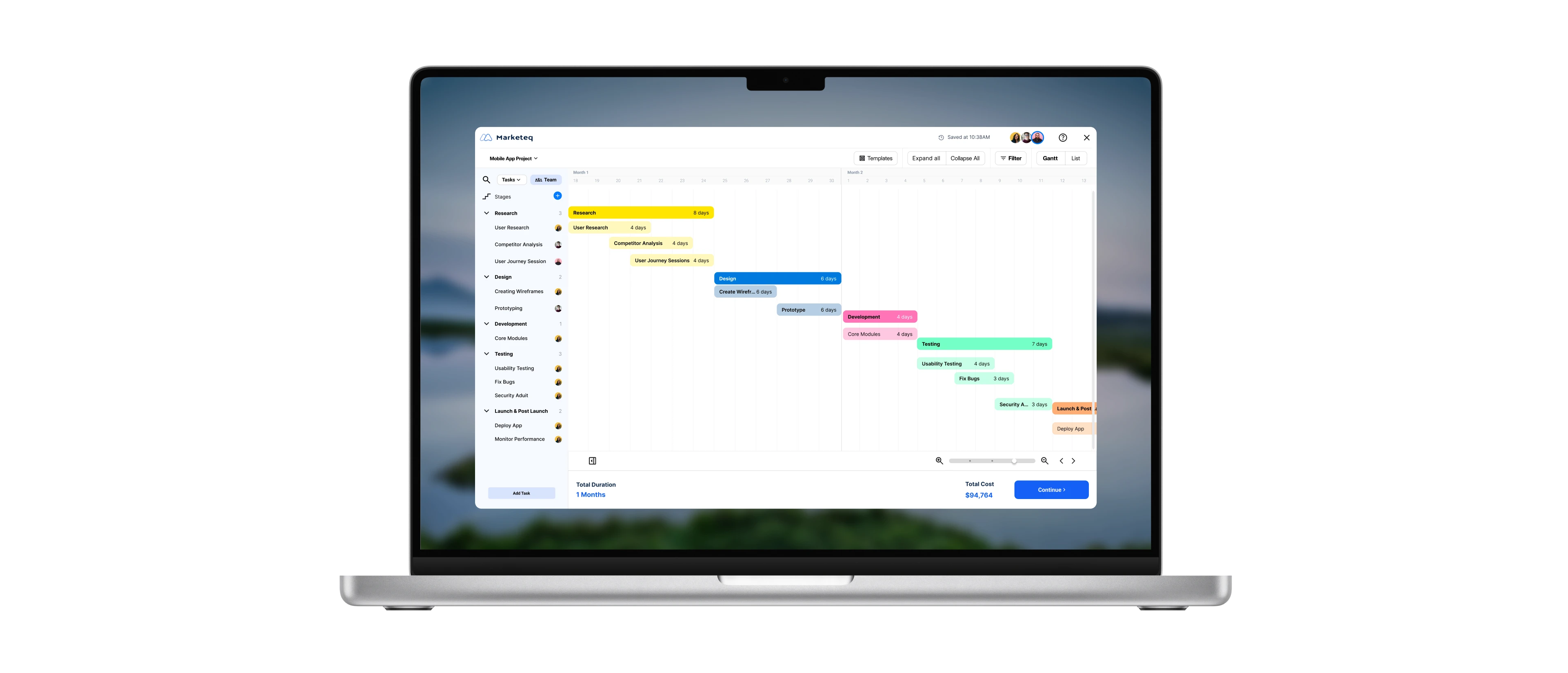
Project Scoping Tool
Marketeq Digital Inc.
2024

SaaS
Project Management
Internship
Project managers were manually breaking down timelines, assigning tasks, and estimating costs across multiple tools, often leading to missed details, resource overload, and budget creep.
At Marketeq ,I set out to design a project scoping tool that simplifies project planning with visual timelines, real-time cost estimation, and stakeholder collaboration.
Team
Sriram Hemanth Kumar
User Experience Designer
Duration
3 months
August 2024 - November 2024
Tools
Figma
Company background
Marketeq Digital is a SaaS company focused on building a career-centric talent-finding platform that connects hiring teams with skilled professionals for long-term project-based roles. Their mission is to streamline how enterprises find, scope, and staff high-impact projects by combining planning tools with a job marketplace.
Product Vision
The platform aims to become an end-to-end solution where companies can:
Scope projects with clarity
Estimate cost, timeline, and resource needs
Publish these projects directly to a marketplace
Allow vetted professionals to apply to contribute to specific projects
This approach shifts hiring from role-based to project-based, enabling more agile staffing while keeping accountability intact.
My Role
As a UX Research and Design Intern, my role was to design a project scoping tool that enables project creators to estimate cost, timeline, and resource needs. The tool also allows users to publish scoped projects directly to a marketplace, where vetted professionals can apply to contribute.
I led the end-to-end design process as the sole designer on this tool from conducting user research and synthesizing findings to prototyping and iterating based on stakeholder feedback. The process included design sprint calls and collaborative sessions to validate user needs and improve functionality through continuous iteration.
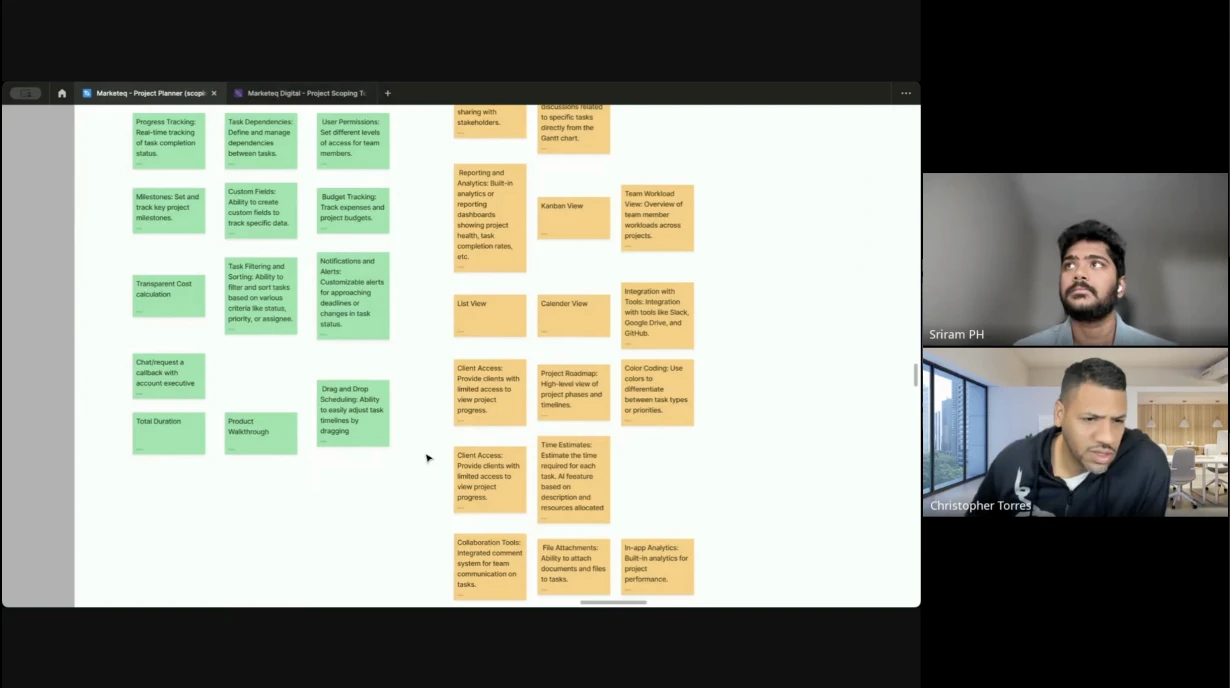
Sprint Call w/Christopher Torres
Design Process
Gathering Requirements
During early planning discussions, the CEO shared specific product goals. The tool needed to:
Enable structured scoping: Projects must be broken down into clear, trackable components (stages → tasks → people → time → cost).
Visualize timelines: A Gantt chart-style view should make it easy to align project phases with deadlines.
Simplify collaboration: Stakeholders should be able to comment, suggest edits, and realign timelines in real time.
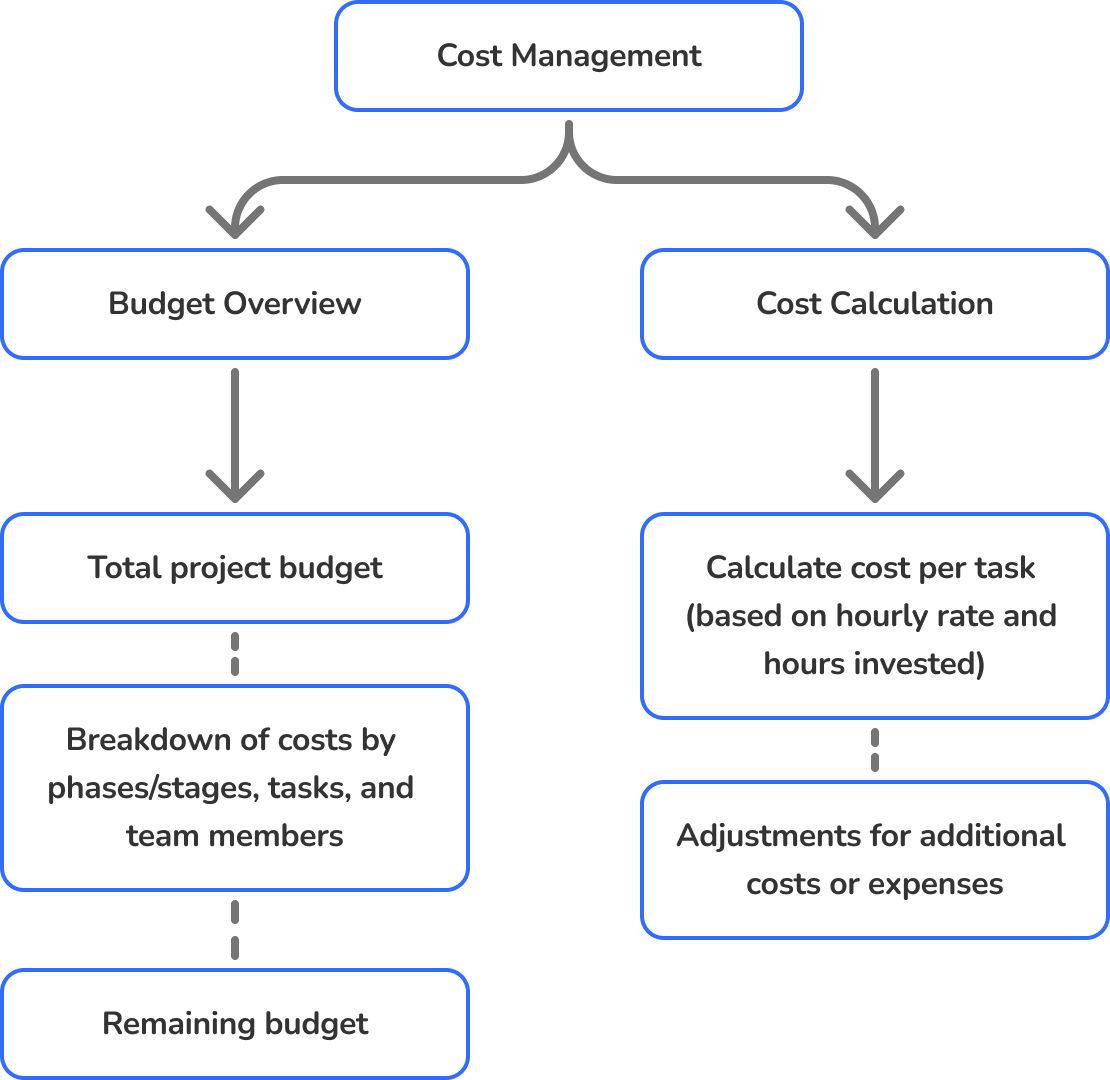
Ensure transparency in cost: Hourly rates × task duration must automatically calculate the estimated cost of each task and the full project.
Bridge into hiring: Once scoped, the project must be published to the Marketeq marketplace, where career professionals can browse and apply to specific roles/tasks.
Interviews
To kick off, I conducted 5 stakeholder interviews with project managers to understand their current workflows and pain points.
Interview with a product manager
User Flow
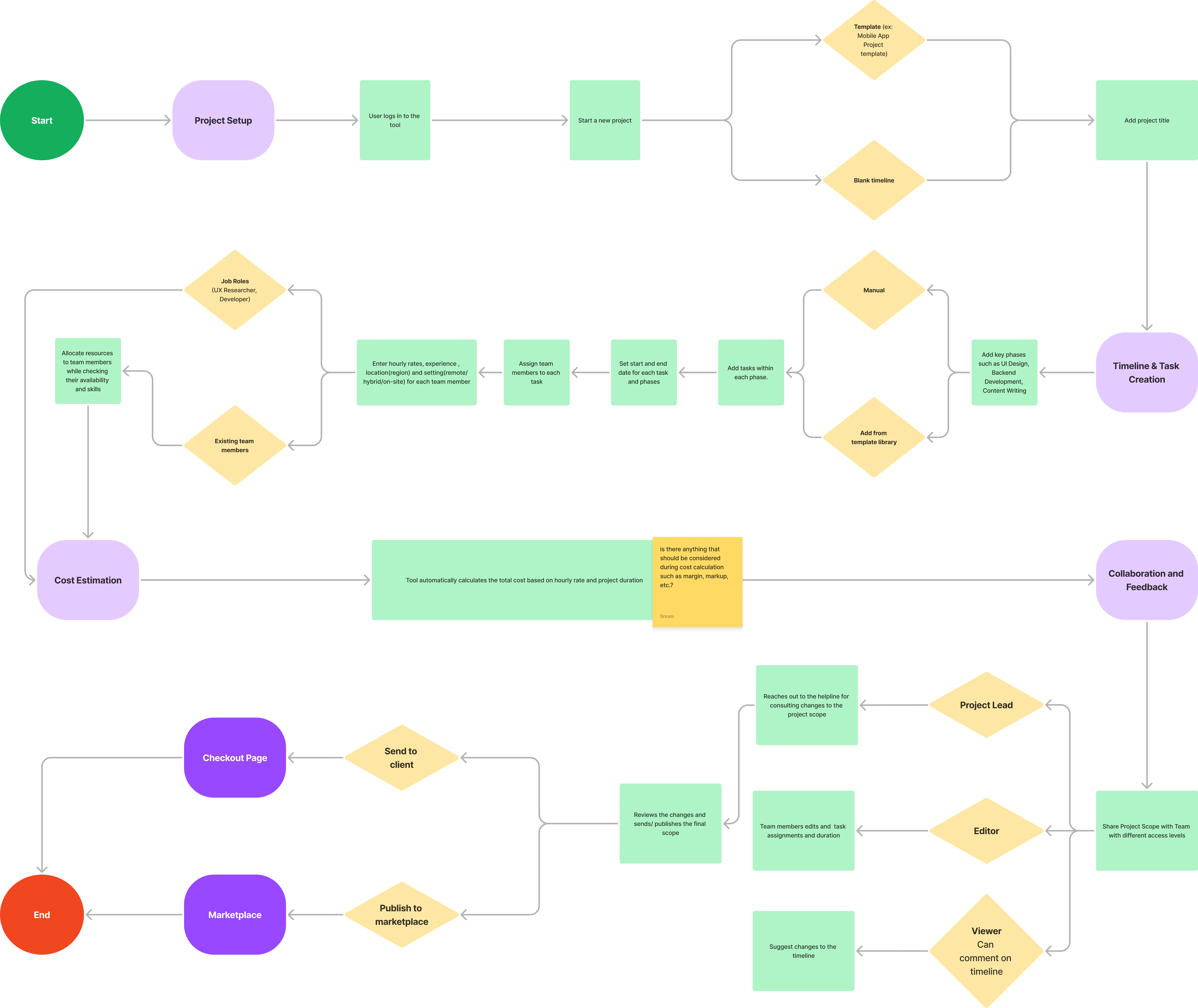
To ensure clarity, consistency, and purpose-driven interactions, I mapped user flows based on the platform's primary goals.
User Flow
Information Architecture
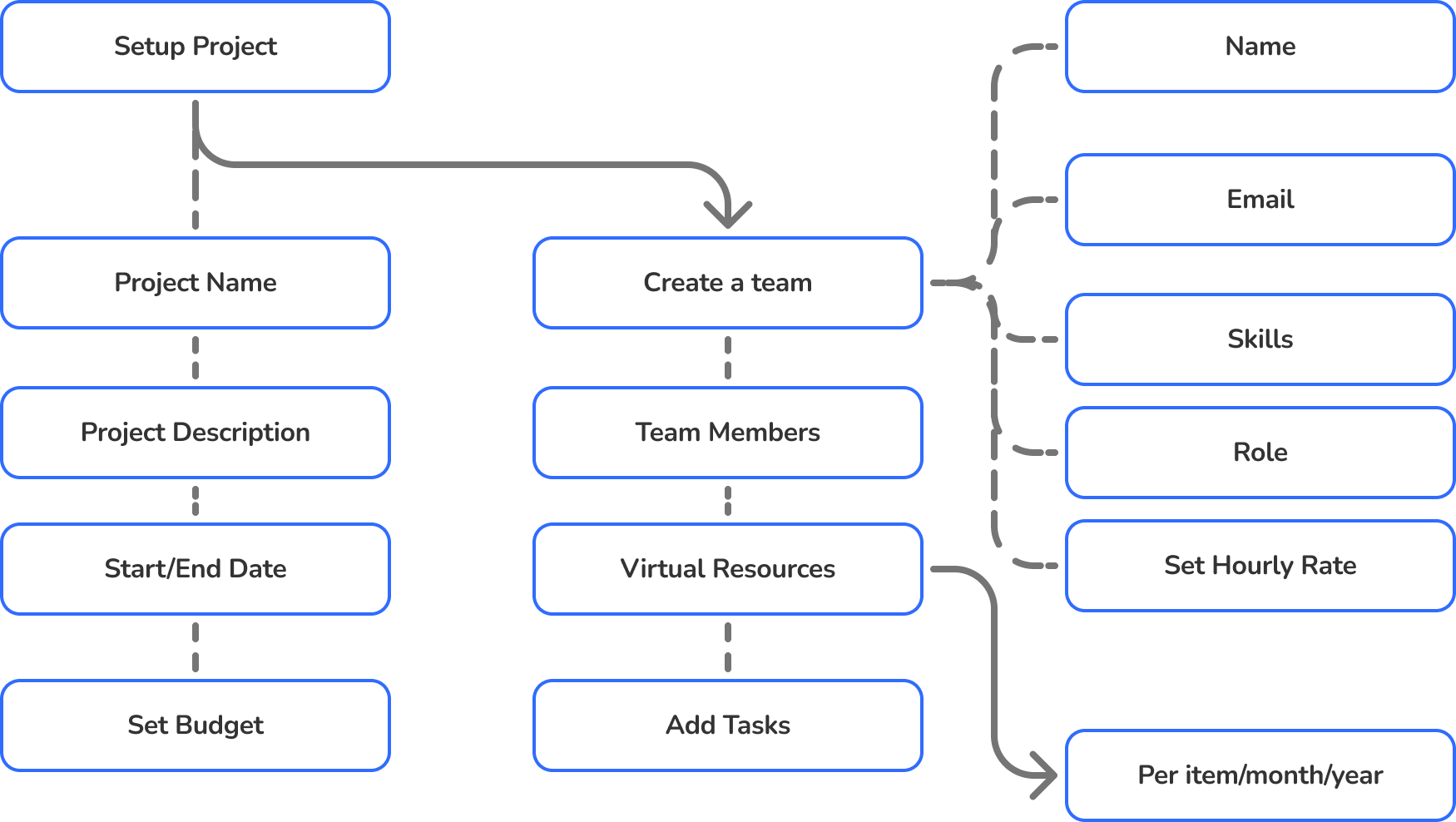
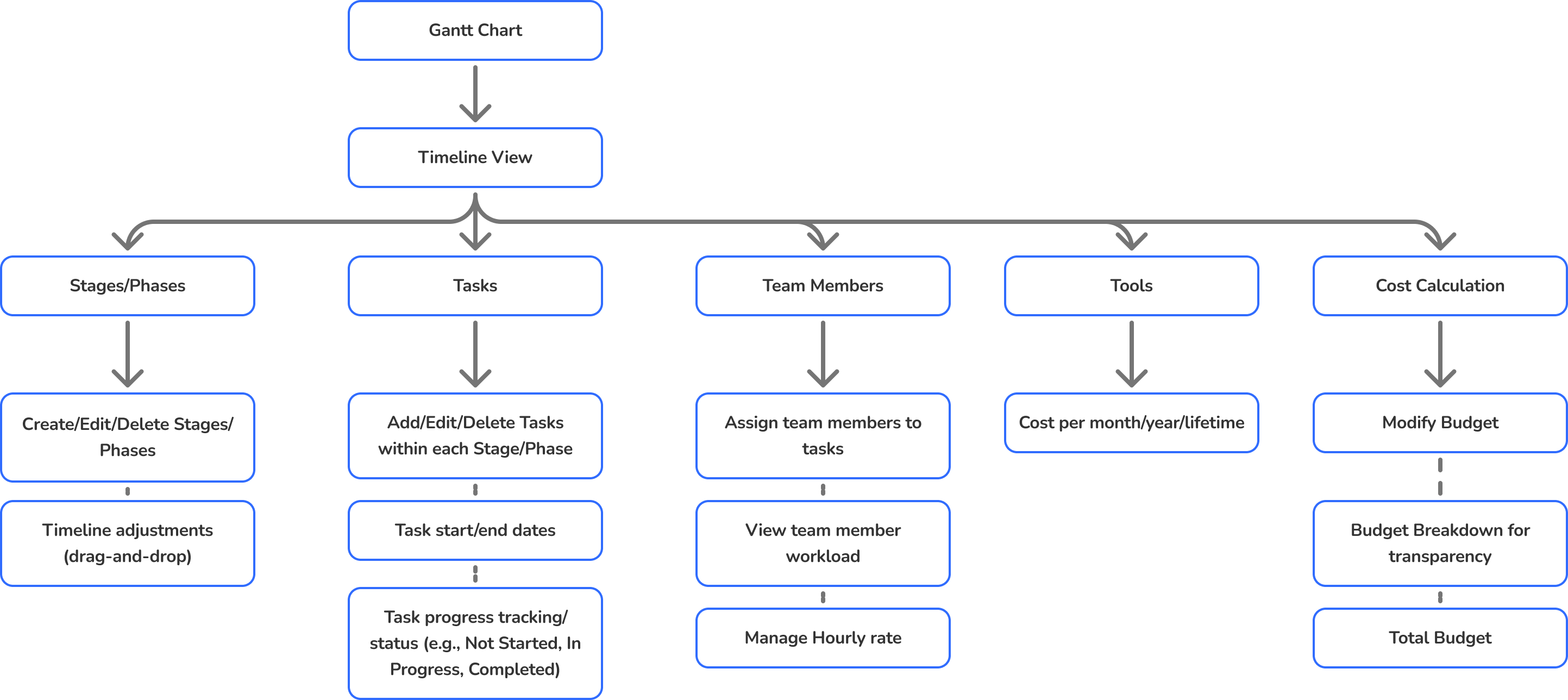
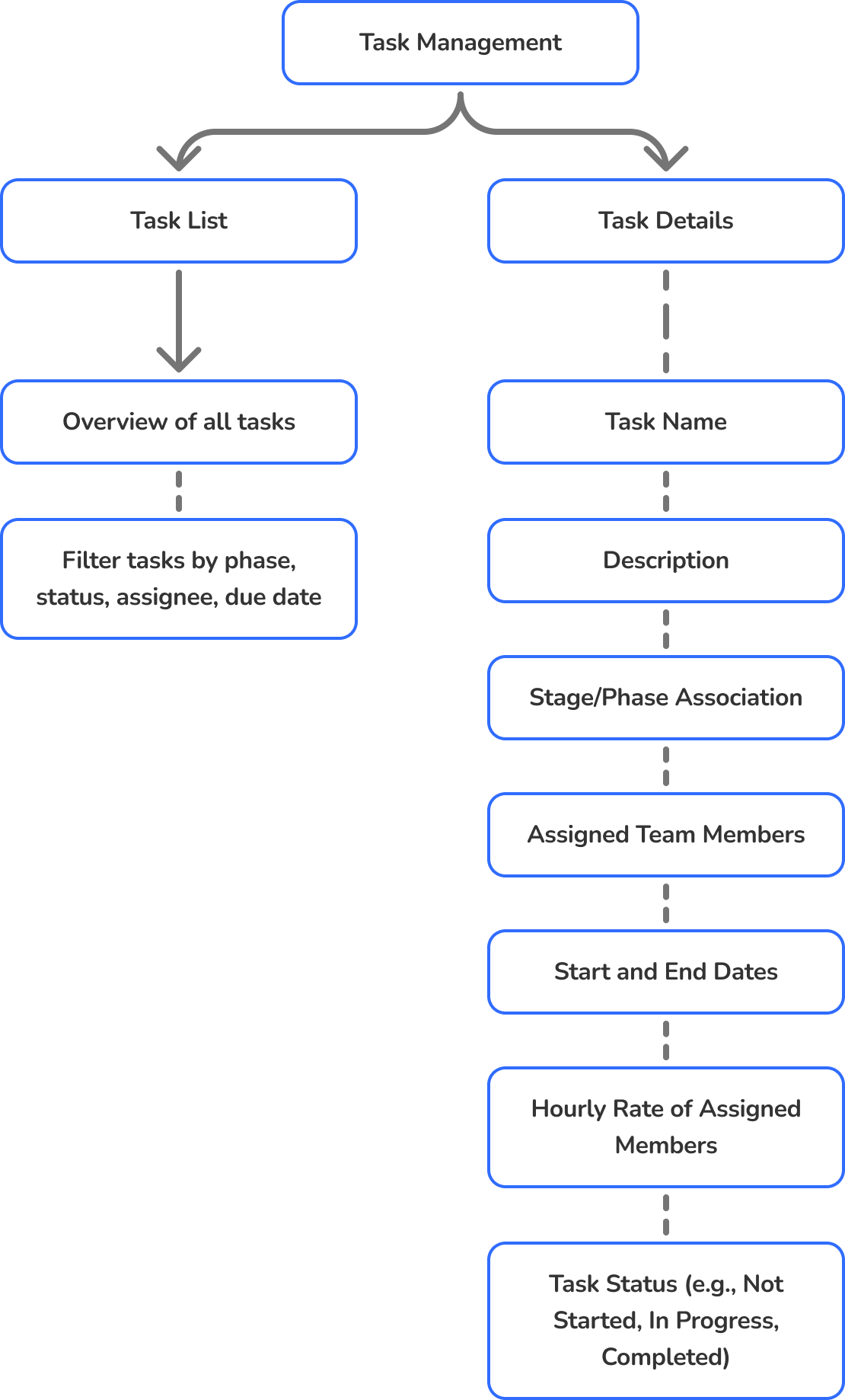
To lay the foundation for a clear and intuitive user experience, I created a detailed information architecture that maps out all core screens, features, and navigation paths. This structure helped define how users move through the app from login to group interactions, events, profile, and chat to ensure that every feature is logically placed and accessible. It served as a blueprint for designing interfaces across both student and teacher roles.
Home Screen
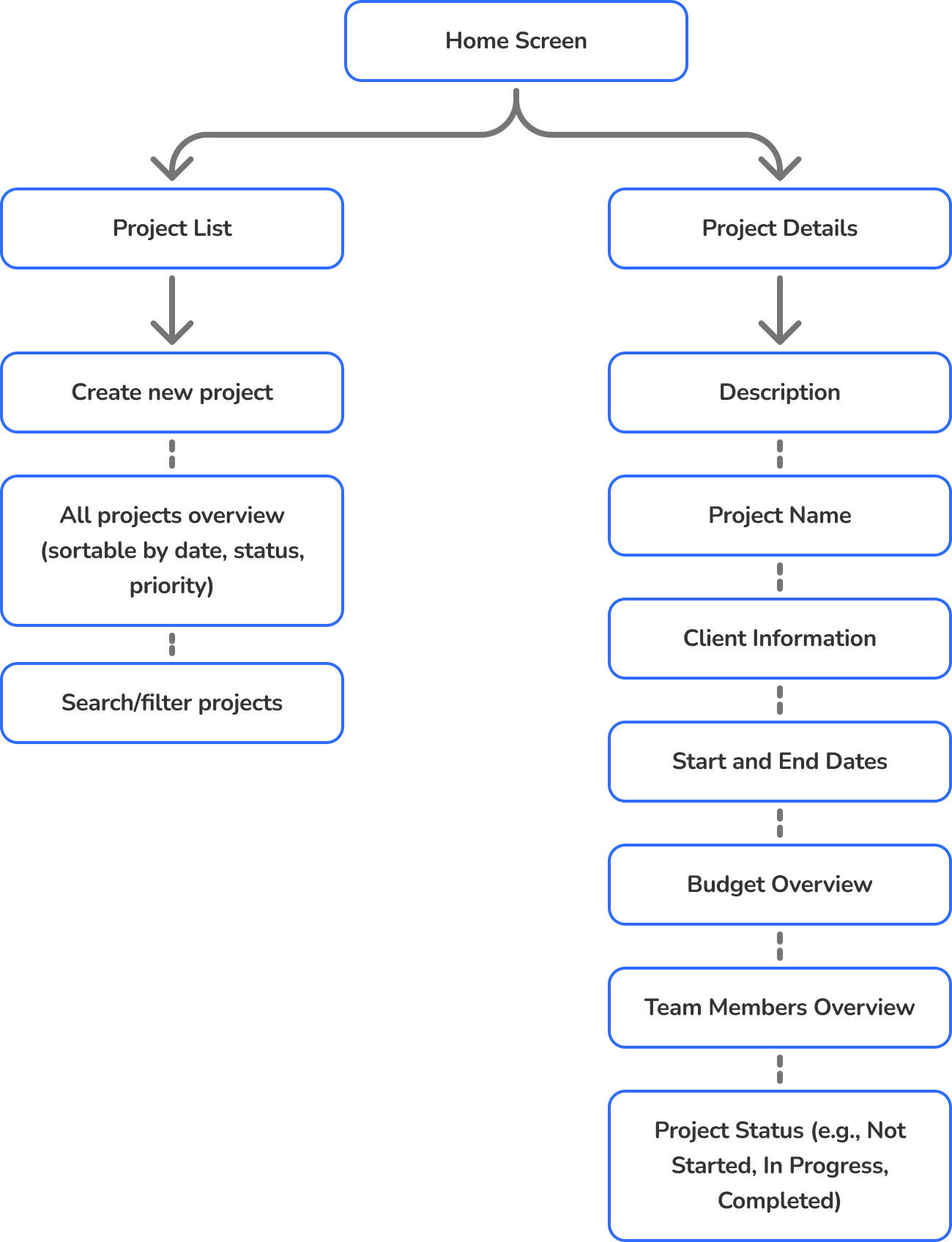
Setup Project
Gantt Chart
Task Management
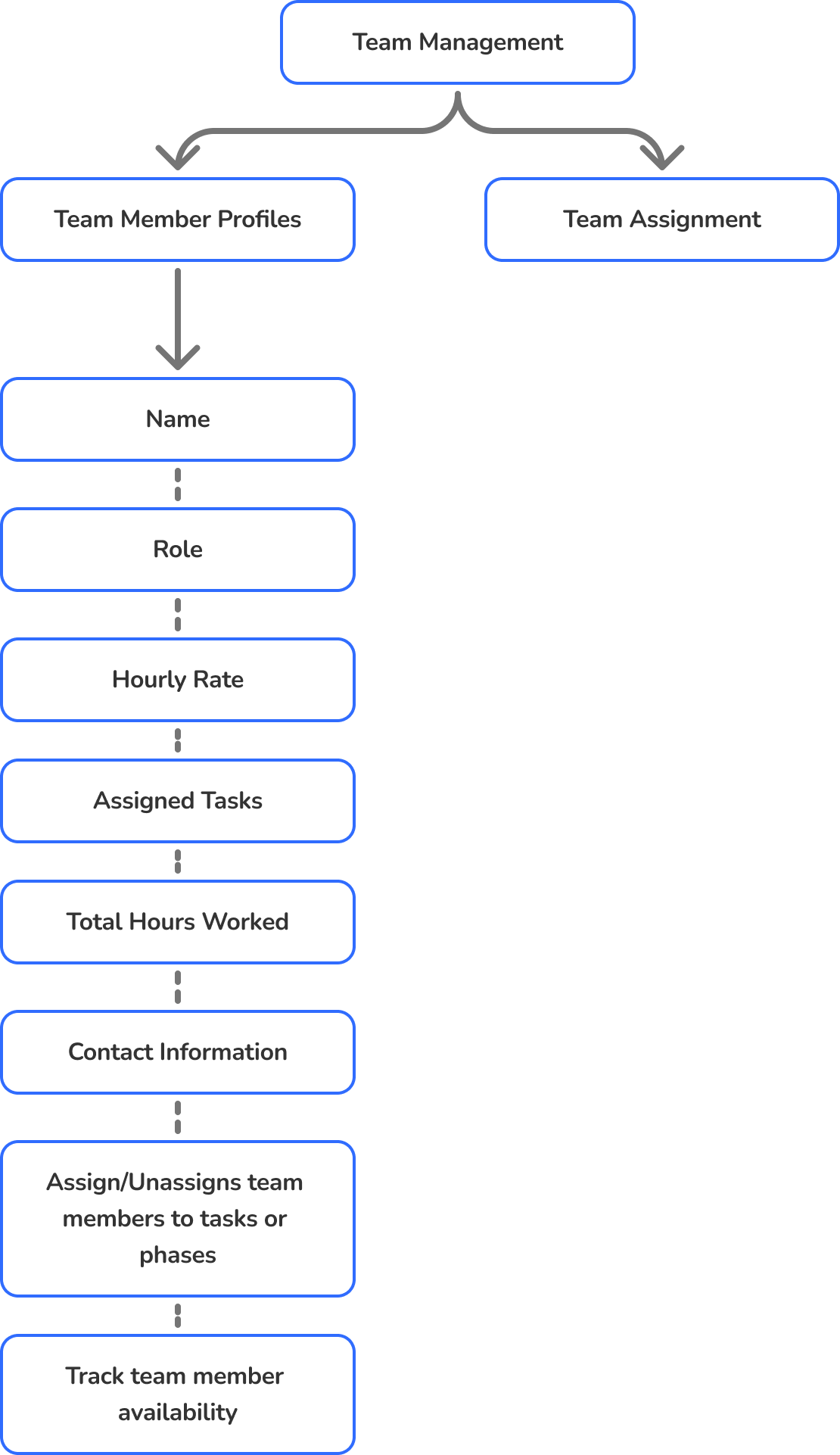
Team Management
Cost Management
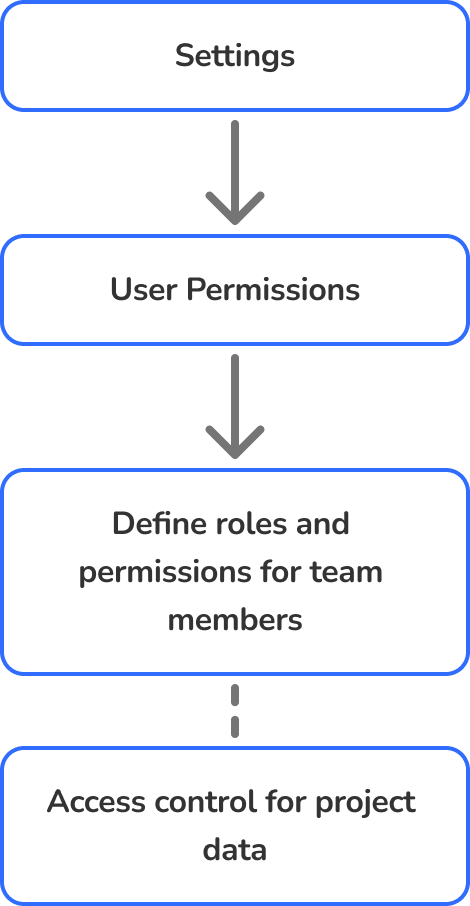
Settings
Card Sorting
To prioritize the product’s functionality, I conducted a card sorting exercise using the Must Have, Nice to Have, and Will Not Have framework. This allowed us to align on core features for the MVP while clearly identifying enhancements that could be phased in later.
Card Sorting
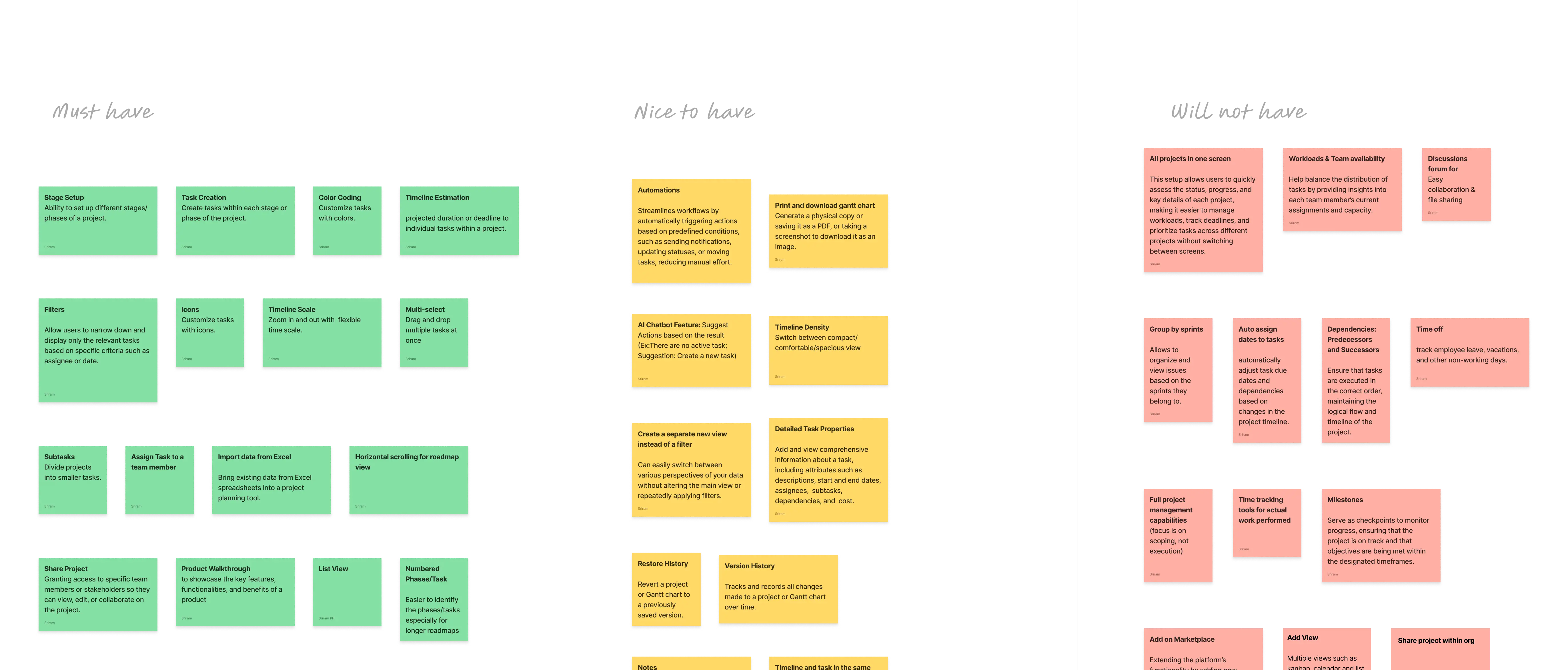
The features identified through this sorting process were cross-referenced with findings from the competitor analysis. By comparing user behaviors and feature implementations across productivity tools we validated which functionalities truly delivered value and which were unnecessarily complex or underutilized. This dual-layered approach helped us prioritize features that balanced usability with competitive differentiation.
Competitor Analysis
To inform our product decisions and ensure usability, I audited several productivity and project scoping tools, including platforms like Asana, Notion, ClickUp, and Monday.com. The goal was to analyze micro-interactions, information architecture, and user flows in order to understand how users engage with features such as task assignment, timeline estimation, and collaborative scoping.
Collection of Audits
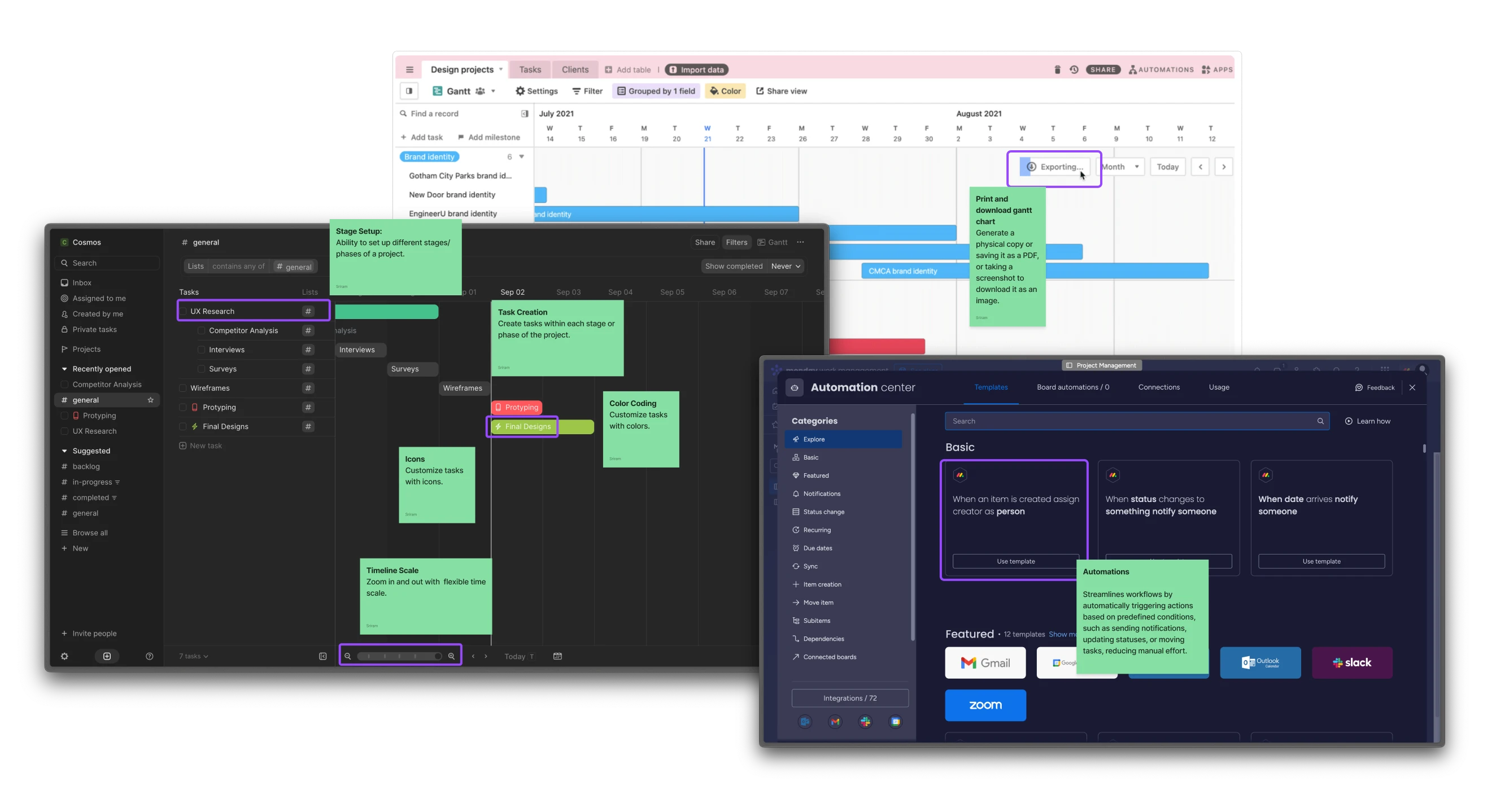
By examining these platforms, I identified recurring patterns and pain points in the way users navigate project scoping workflows. These insights shaped key feature decisions in our tool, helping us prioritize intuitive task creation, role-based assignments, and transparent cost estimations. This analysis also revealed opportunities to reduce cognitive load by streamlining the number of steps required to publish a scoped project to the marketplace.
Wireframing
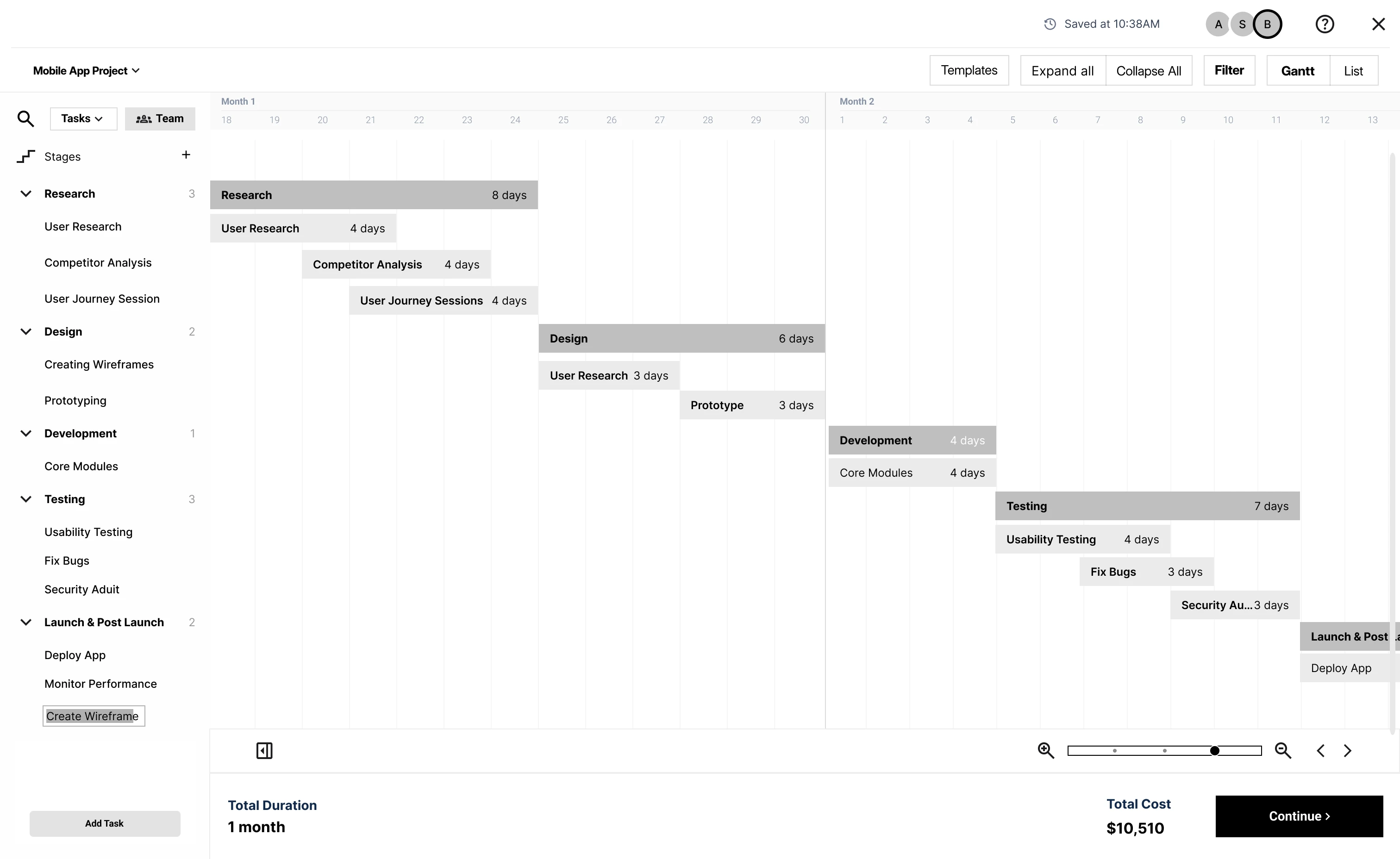
I began sketching initial wireframes to visualize solutions for each pain point, which were then used to quickly confirm the structure with stakeholders and gather feedback.
Gantt Chart Wireframe
High Fidelity Mockups
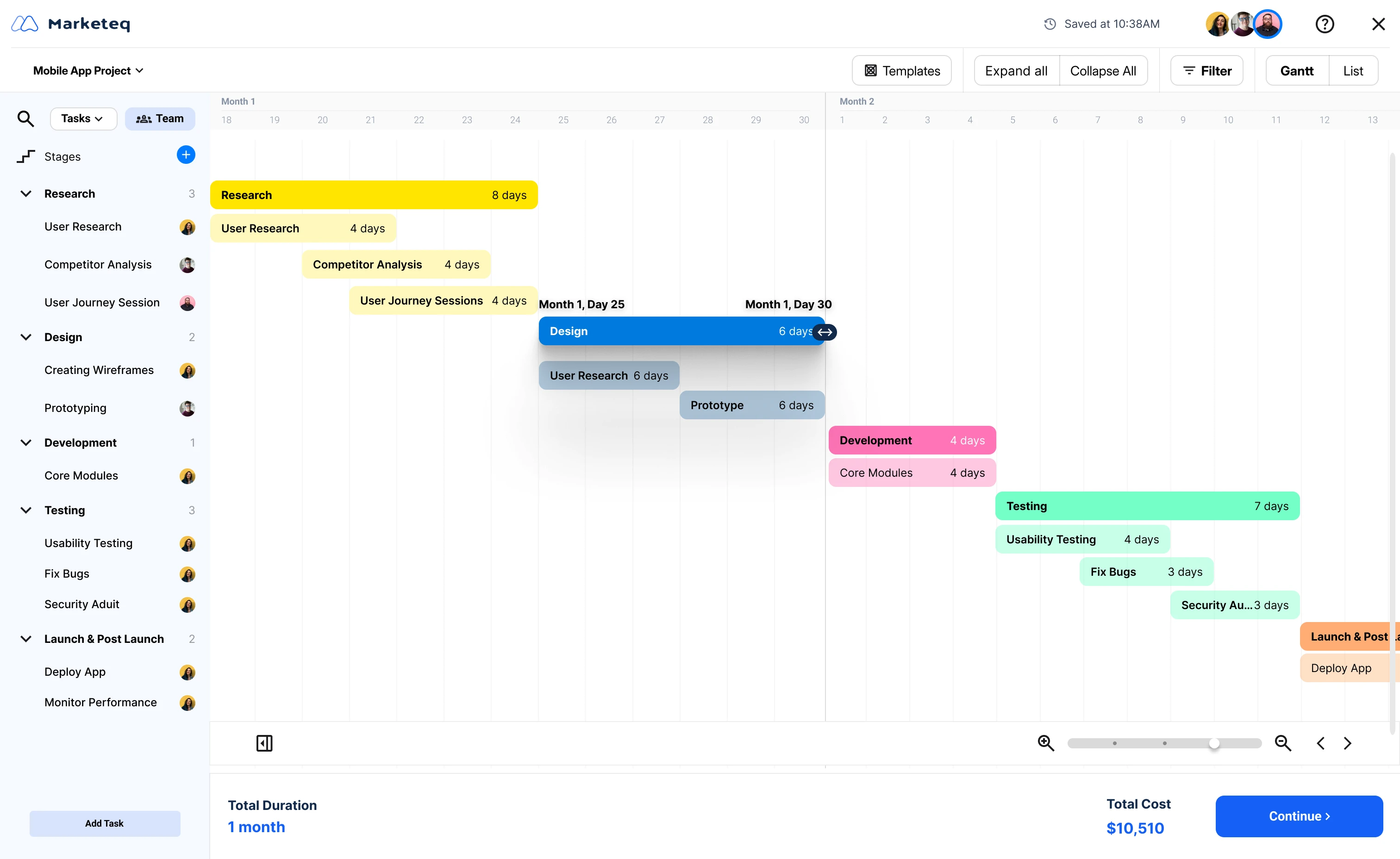
Incorporating feedback from both the usability tests and the product manager, I created the final high-fidelity mockups using Marketeq Design System.
Gantt Chart View
Prototyping
Once the structure was validated, I created interactive prototypes to simulate the flow and shared them with the product manager.
Conclusion
Despite working on additional features in parallel, I was able to successfully deliver the core project on time and as expected. This experience strengthened my ability to balance multiple priorities, collaborate with cross-functional teams, and design with both user and business goals in mind.
Reflections
Not hesitating to explore innovative means to achieve goals
Designing is never a defined process; in fact, it is a canvas guided by constraints. This project pushed me to my creative limits by thinking unique means to gather insights, to think creative and more importantly to "Think Human".